
We Found The 6 Best Laptops For College Students After Years Of Testing
These six models get an A+ from us.
By
Haley Henschel
Haley Henschel
Senior Shopping Reporter
Haley Henschel is a Chicago-based Senior Shopping Reporter at Mashable who reviews and finds deals on popular tech, from laptops to gaming consoles and VPNs. She has years of experience covering shopping holidays and can tell you what’s actually worth buying on Black Friday and Amazon Prime Day. Her work has also explored the driving forces behind digital trends within the shopping sphere, from dupes to 12-foot skeletons.
Read Full Bio
on July 18, 2026
All products featured here are independently selected by our editors and writers. If you buy something through links on our site, Mashable may earn an affiliate commission.
Credit: Joe Maldonado / Mashable
Starting college comes with a lot of tough choices: which dorm to live in, which major to pursue, how much to use artificial intelligence, when to pull an all-nighter, and how many parties to attend on the weekend. But you don’t need to agonize over finding the best laptops for college students. After testing 80+ laptops from Apple, HP, Lenovo, Microsoft, and Dell, Mashable reviewers found the six options at the top of their class. So, no matter your requirements, read my guide to find the best laptop for college.
There’s more to consider than just what supplies to buy this year (though we’ll help with that too.)
Table of Contents Here at Mashable, we’re constantly testing the best laptops based on an exhaustive in-house methodology that combines real-world use with performance benchmarking. In the past two years alone, we’ve tried over 80 different models across a range of price points.
To determine which of them fit the bill for college students, specifically, I researched the top 10 public universities’ hardware recommendations for the upcoming fall 2026 semester. These include processor types, operating system support, RAM and storage minimums, and other spec requirements for different majors. I honed my guidance based on the common threads I noticed.
I also gave special preference to laptops that are long-lasting and portable enough to be toted around campus, and those that are competitively priced for the current market. Laptops aren’t cheap right now, but a solid splurge can last you well past graduation. (Take advantage of student discounts whenever possible.)
Based on this analysis, I eventually settled on six top picks that make the best laptops for college students. Whether you’re a humanities student, a STEM major, or still undeclared, I’m confident that at least one of my options will be your ideal machine. You can read more about these picks and my research below.
Our Pick
M5 chip is incredibly powerful Lightweight, sleek and portable all-aluminum design Bright, pretty 2.5K display Excellent webcam, speakers, and keyboard Premium haptic trackpad Doesn’t have a ton of ports Got a $200 price hike in June (but still a solid deal in this market) The latest Apple MacBook Air is easy to recommend for just about anyone who needs a reliable, future-proof machine for on-the-go productivity and entertainment. That includes most students pursuing degrees in the liberal arts (except architecture majors), social sciences, humanities, and nursing.
Read Mashable’s full review of the Apple MacBook Air (M5). Our sister site, PCMag, also reviewed the 13-inch model, in particular. (Disclosure: Mashable and PCMag are both owned by the same parent company, Ziff Davis.)
The MacBook Air has long been considered the default college laptop by most students. This year’s 13-inch M5 model makes a perfect case for that with its elite build quality, slim profile, ultra-peppy performance, and decently long battery life. I also think it’s fairly priced for the current market, even after Apple’s $200 price hike this fall. (Apple’s education discount takes some of the edge off that.)
Moreover, the MacBook Air is future-proof enough to last you all through college and a couple of years after. I’ve heard from some folks who finally upgraded older models after close to a decade of usage. This particular model has more power than you’ll probably ever need: In single- and multi-core workloads alike, it flies past most other laptops under the $1,500 mark. It’s fanless to boot, so it won’t cause a ruckus in lectures.
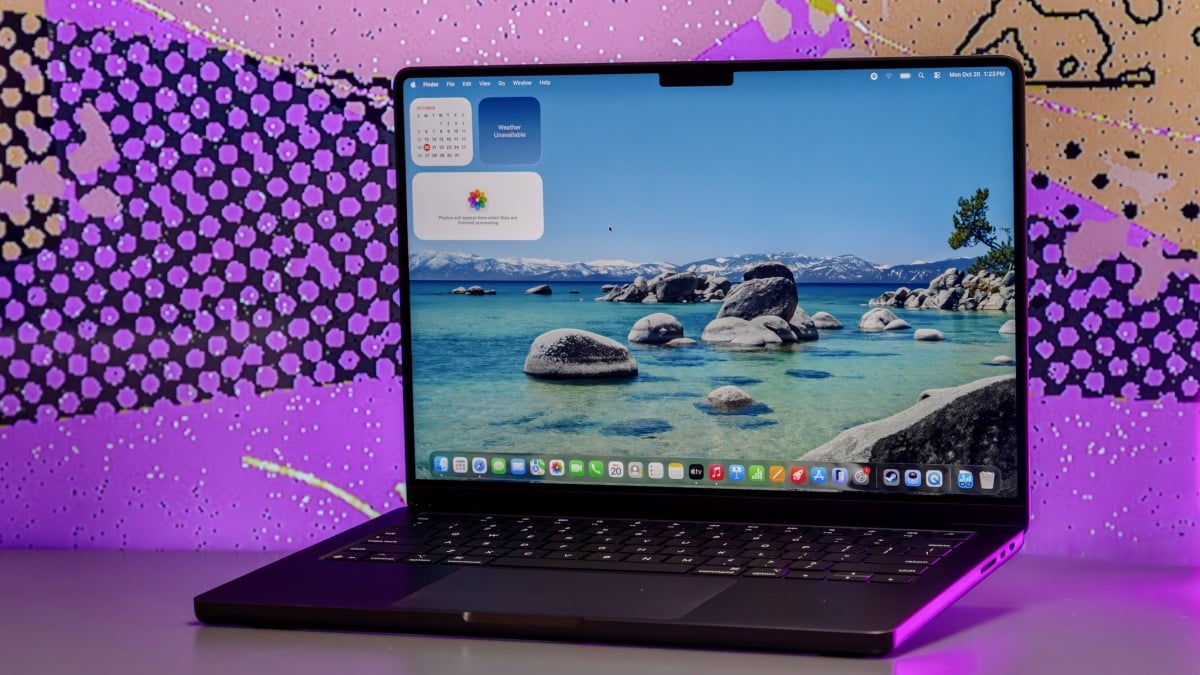
Design highlights include an all-aluminum chassis with premium fixings like a haptic touchpad, 12MP webcam, and bright 2.5K Liquid Retina display. It weighs in at 2.7 pounds and only measures 0.44 inches thick, making it easy to carry around in a backpack.
The M5 MacBook Air also comes in a 15-inch size if you’d like more screen space, but I think most college students will be happy with the cheaper, more portable 13-incher.
Soooo portable; ridiculously thin and light Gorgeous 2.8K anti-glare OLED touchscreen with 120Hz refresh rate Great battery life Velvety keyboard A very good deal for plenty of RAM and storage Not as fast as a current-gen MacBook Air Feels a little plasticky (even though it’s not made of plastic) Mediocre speakers and webcam The Acer Swift Edge 14 AI is a smart buy for most students who prefer Windows or need it for their program. (The latter probably includes you, business majors: One top-10 school’s business department said some courses’ software doesn’t work on Macs.) I also endorse this laptop for those who want something even more portable than the MacBook Air. It’s svelte enough to stash in a tote or large shoulder bag.
Read Mashable’s full review of the Acer Swift Edge 14 AI.
The Swift Edge 14 AI is a close-to-perfect Windows laptop for on-the-go students. It only weighs 2.18 pounds, making it half a pound lighter than a 13-inch MacBook Air, and it’s just 0.37 inches thin. A No. 2 pencil is only slightly slimmer. Mashable contributor Sarah Chaney was “surprised” by how sturdy it felt given its featheriness. To quote her review: “The hinges are strong, and there was zero give in the keyboard deck. The top lid, however, is super bendy — but who’s going to be twisting the display?”
This is a very well-priced PC, all things considered. For $1,500, you get 32GB of memory, a whole terabyte of storage, and a gorgeous, anti-glare 2.8K OLED display with a buttery 120Hz refresh rate. For comparison’s sake, the 13-inch MacBook Air costs $1,879 with the same components (even after Apple’s education discount) and has a 60Hz IPS display.
The Swift Edge 14 AI isn’t nearly as powerful as a MacBook Air, but its Intel Core Ultra 7 258V chip from late 2024 is adequate for most everyday tasks. In our performance benchmark, it kept up with the Dell 14S (below) that runs on the newer mid-range Intel Core Ultra 7 355 chip. It doesn’t last quite as long, though its 20-hour battery life is still nothing to scoff at. Not to bring up Apple again, but you won’t get that much stamina out of a MacBook Air.
Fantastic battery life Impeccable build quality Simple yet elegant design Glorious keyboard, plus a solid webcam and mic Optional OLED display is very pretty (and only $50 more) A decent deal in this day and age OLED screen is overly glossy Not as fast as a current-gen MacBook Air Celestial Blue colorway is a fingerprint magnet The new Dell 14S is another great option for Windows users if our top pick is sold out, if its on sale for closer to $1,200, or if you want a laptop with a ridiculously good battery life.
The 14S is the ideal laptop for marathon study sessions and all-nighters at the library. It survived for at least 31 hours in our battery life benchmark, making it one of the longest-lasting laptops we’ve ever tried. (It was still going at the time of writing — stay tuned for the final result.) For what it’s worth, I don’t recommend our all-time battery life champ for students because it has an ARM-based processor; more on that below. Its build quality also pales in comparison to that of the 14S.
On that note, Dell’s mid-ranger feels just as well-made as its splurgey XPS 14 laptop (and it has a much more pleasant island-style keyboard). It’s a super elegant machine with an aluminum chassis and shiny edges. It’s not as light as an Apple MacBook Air — or the Acer Swift Edge 14 AI, for that matter — but it’s exactly the same size as a 14-inch MacBook Pro. You can upgrade its 1200p display with a vivid OLED panel and/or touchscreen capabilities. Notably, the OLED option is only $50 more.
The 14S costs roughly the same as the Swift Edge 14 AI with half the RAM and storage and a downgraded OLED touchscreen, so I’d try to buy it on sale. It was marked down to a very competitive $1,199.99 at the time of writing; students can get an extra 10% off by registering for the free Dell Rewards loyalty program.
FYI: Dell also makes a 16-inch version called the 16S, which costs $300 more with the same specs. It has a sharper, smoother display but a worse battery life and a heavier build, so students should stick with the 14-inch model.
Amazing single-core performance Same all-aluminum chassis as nicer MacBooks Just as portable as a MacBook Air (if slightly thicker) Fun color options Bright, pretty display Great speakers Not very future-proof; only 8GB of RAM (and you can’t upgrade it) No keyboard backlighting Few ports Starts with only 256GB of storage (you’ll probably need an external hard drive) Got a $100 price hike in June (but still a decent deal in this market) The Apple MacBook Neo is tailor-made for cash-strapped college students who just need a simple laptop for taking notes, writing essays, and throwing presentations together. With your education discount, the base configuration only comes to $599.
Read Mashable’s full review of the Apple MacBook Neo.
In an older version of this guide, I proposed a nice 2-in-1 Chromebook for students with basic needs and shoestring budgets. This time around, I’m going with the MacBook Neo: It’s cheaper than many of today’s nice Chromebooks, made with better components, and much zippier in single-core scenarios. (Its repurposed iPhone chip is actually faster than most high-end PC chips we’ve tested in this respect. If you’re just bopping between a few Chrome tabs, it feels sooo snappy.)
The Neo has the same great build quality as Apple’s other notebooks — minus most of their premium features, that is — and it comes in genuinely fun colors like Citrus and Blush. It’s not quite as thin as the MacBook Air, but it weighs exactly the same. You should get just under 15 hours of usage out of it before needing to plug it in.
If you can swing an extra $100, consider upgrading to the Neo variant with 512GB of storage and Touch ID. The base model only has 256GB of storage, so you’ll probably need to supplement it with an external hard drive at some point.
Along similar lines, keep in mind that the Neo isn’t as future-proof as the other laptops on this list. Crucially, it only has 8GB of memory, which is well below most top-10 universities’ 16GB minimum and is not great for serious multitasking. UCLA mentions the Neo in its 2026 hardware guide for Health Sciences students and notes that “performance may be slower compared to our recommended devices as this device falls below our recommended specifications.”
Vibrant 2.8K OLED touchscreen Solid performance; good for gaming Plenty of ports Clickety-clackety keyboard Premium haptic touchpad; you can draw on it with the included stylus Reasonably priced Boring design; not very sleek Screen is dim and overly glossy Mediocre battery life (but not awful for a laptop with discrete graphics) Acer’s Swift X 14 AI is a mobile desktop replacement that can handle the intensive workloads of students in engineering, computer science, and architecture programs. Plus, it can pull double-duty as a gaming laptop when you’re done with homework.
Per my research, four of the top 10 public universities recommend PCs with discrete graphics for engineering majors. They specifically plug models with upper mid-tier processors, 32GB of RAM, and 1TB of storage. (Students in other tech-focused fields that rely heavily on specialty software will have similar spec needs — check with your program.) The Swift X 14 AI with an AMD Ryzen AI 7 350 CPU and a Nvidia GeForce RTX 5060 GPU is the best option I’ve tried that ticks those boxes.
Such specs also mean this laptop is great for gaming. In my testing, it was able to run CyberPunk 2077 at 1080p right at its 60fps minimum without the aid of any AI upscaling technology, like Intel XeSS Super Res 2.0. With it, the Swift X 14 AI can hit framerates apt for competitive gaming.
This laptop doesn’t last as long as the other models on this list, unsurprisingly, but its 6.5-hour battery life is above-average for a PC with dedicated graphics. They use a ton of power.
A punchy 120Hz OLED touchscreen is the best thing about its otherwise plain design. It’s among the richest and most colorful displays I’ve seen. Note that it doesn’t support the included stylus, which is actually meant to work on its haptic touchpad. (It takes a bit of getting used to, but it works like a built-in drawing pad; you can use it to take notes by hand.) The sides of its base feature all the ports you could ever need, including a microSD card slot.
I should mention that I also tested another version of this laptop, the Acer Swift X 14 (no AI), which had an upgraded Intel Core Ultra 9 285H CPU with Nvidia RTX 5070 graphics. I liked that model more because it offered 21 percent better multi-core performance, 17 percent better raw graphics power, and about four more hours of battery life. It felt well worth its $1,999.99 price tag. However, it was sold out everywhere at the time of writing. If you can somehow find it in stock, grab that one instead.
Incredibly fast Best battery life of any MacBook we’ve ever tested Beautiful mini-LED 120Hz 3K display with optional nano-texture finish Great mix of ports Awesome keyboard, speakers, and webcam Expensive, especially after a $300 price hike in June Space black colorway clings to fingerprints Apple’s M5 MacBook Pro caters to power users in creative fields, including graphic design, animation, and video production majors. I just hope you still have some of your high school graduation money stockpiled.
Read Mashable’s full review of the Apple MacBook Pro (M5).
Many creative industries are big on Macs. Apple’s latest 14-inch MacBook Pro is a commuter-friendly option that’s well-equipped to handle demanding software like Adobe Premiere Pro and Blender. The MacBook Air is also speedy and capable of handling such workloads in a pinch, but the MacBook Pro lessens your chances of thermal throttling because it has fans. Its extra ports are advantageous for creatives as well (see: an SDXC card slot and HDMI port).
The MacBook Pro’s display, while not OLED (yet), is to die for. It’s a dazzling mini-LED screen with a sharp 3K resolution, a 120Hz refresh rate, and a maximum brightness of 1,600 nits for HDR content. You can upgrade it with a nano-texture (glare-free) finish for $150 extra.
And then there’s its battery life. This laptop ran for 21 hours and 17 minutes in our benchmark, making it the longest-lasting MacBook we’ve ever tried.
As a power user, you’re going to want to configure your MacBook Pro with at least 24GB of RAM and 1TB of storage. Fair warning: That puts you at $2,099 after Apple’s education discount. I do think it’s a wise investment, all specs considered, but see if you can get it for cheaper at a third-party retailer like Amazon or through your school’s tech store.
What to look for in a college laptop, based on my research
A Windows laptop with a mid-tier Intel Core or AMD Ryzen 7 processor is suitable for most college students. Credit: Haley Henschel / Mashable
Six of this year’s 10 top-ranking public universities tell their incoming students to purchase Windows 11 laptops or MacBooks that are less than two years old. I wouldn’t go any older than that for the sake of future-proofing.
Most of those schools tell their students to purchase laptops with 16GB of RAM and 512GB of SSD storage at minimum. (Liberal arts majors might be able to get away with 256GB of storage, but you’ll probably have to supplement that with an external hard drive.) More RAM and storage is better if your budget allows; more is mandatory if you’re an engineering, design, or computer science major. Students in those fields are generally advised to get a laptop with at least 24GB to 32GB of RAM and 1TB of storage.
You can approach your processor options in a similar way. For Windows laptops, most schools suggest a mid-range CPU like an Intel Core/AMD Ryzen 5 at minimum, and a mid- to high-end Intel Core/AMD Ryzen 7 or 9 chip for more demanding workloads. Several schools recommend tacking on a dedicated GPU for such coursework, too (i.e, Nvidia GeForce RTX/Radeon RX graphics). On the Apple side, the MacBook Air and Pro with the base M5 chip are go-to recs for most students.
Two schools tell their students not to buy ARM-based Windows laptops (with Qualcomm’s Snapdragon processors) because they can’t run certain software natively, and because they don’t support older peripherals like university printers and scanners. One software example is AutoCAD, a popular 2D and 3D design app that engineering and design students rely on heavily. I love a lot of ARM laptops because they’re fast and long-lasting, and I will say that their compatibility is improving every year. Still, I’ve opted to keep them off my list of 2026 picks out of an abundance of caution; stick with Intel and AMD CPUs for now.
Be sure to budget for an extended warranty with accidental damage protection, as suggested by over half of the top 10 public universities. For reference, AppleCare+ for Mac costs $67.99 to $139.99 a year for students, depending on the MacBook model.
What type of laptop should college students buy?
Credit: Joe Maldonado / Mashable
This is a question that only your college can answer for sure, as laptop type recommendations can vary by major. For example, the University of Virginia and the University of California, Davis approve MacBooks for their general student populations, but their engineering departments tell certain tracks to avoid them. Likewise, UCLA’s Anderson School of Management hardware requirement page says, “Mac computers are acceptable to use as primary computers for study at Anderson. However, please note that some elective course software is only available for Windows. Students are responsible for ensuring compatibility and configuring their Macs accordingly.”
I can say for sure that you probably shouldn’t buy a Chromebook. Three schools in my research pool discouraged them for some or all majors, and one school — the University of Florida — only recommended them “as supplemental devices.” I included a Chromebook in a previous version of this guide as a secondary option for note-taking, but price increases amid the ongoing RAM shortage have made many of them just as expensive as Apple’s budget MacBook Neo (if not more so), which is a much nicer and more powerful computer, relatively speaking.
Do you need your own laptop for college?Yes, you should have your own laptop at college. Most universities let students temporarily borrow laptops through their libraries and/or tech desks. However, these loaners are available on a first-come, first-served basis and wiped upon return (i.e., you can’t save anything on them long-term).
I wouldn’t rely too heavily on your school’s computer lab, either, because you can’t take bring those desktops to class or your dorm. Ultimately, owning your own laptop is way more convenient and ensures you’ll have the exact specs needed for your major’s coursework.
Mashable has been writing about laptops for over a decade, and I’ve personally been covering them since 2023. I also helped develop the rigorous hands-on testing process we currently use to review them. This methodology revolves around four key criteria:
The laptops we review get put to work as our primary computers. This includes trying any unique software or use cases they support. We also subject all of our loaners to a multi-app/tab stress test and Primate Labs’ Geekbench 6, which measures CPU performance in common tasks. Gaming laptops get put through additional graphical benchmarking.
To gauge a laptop’s stamina, we conduct a battery rundown test that involves playing a looped 1080p version of “Tears of Steel,” a short open-source Blender movie, at 50 percent brightness and 50 percent volume. Ideally, we hope to get at least 19 hours of battery life from MacBooks, 14 hours from Windows laptops, and four hours from gaming laptops. (They’re notoriously power-hungry.)
As we’re using a laptop, we zero in on certain components to evaluate its build quality. These include the display, keyboard, touchpad, webcam, speakers, and ports. We also assess its overall aesthetic and portability.
We determine the ultimate value of a laptop by comparing its performance, design/build quality, and battery life to other laptops with similar pricing, specs, release dates, and use cases. We consider any accessories it comes with, any upgrades from its predecessor(s), and its future-proofing.
For this particular guide, I conducted an additional analysis of the 10 top public universities’ laptop requirements for the fall 2026 semester. I then compiled my findings in a spreadsheet and identified the most popular recs.
Haley Henschel is a Chicago-based Senior Shopping Reporter at Mashable who reviews and finds deals on popular tech, from laptops to gaming consoles and VPNs. She has years of experience covering shopping holidays and can tell you what’s actually worth buying on Black Friday and Amazon Prime Day. Her work has also explored the driving forces behind digital trends within the shopping sphere, from dupes to 12-foot skeletons.